QGIS Admin#
Publish the MISLAND QGIS plugin#
This document provides a complete guide for administrators and GIS developers on how to package and publish the MISLAND QGIS plugin to the official QGIS Plugin Repository.
Table of Contents
1. Introduction#
The MISLAND plugin is a QGIS plugin supporting calculation fo indicators, access to data, and production of print maps. The code for the plugin, and further instructions on installing it if you want to modify the code, are in MISLAND Github repository.
2. Prerequisites#
Before you begin, ensure you have the following:
The MISLAND plugin installed on your machine.
QGIS installed locally
A registered account on the QGIS Plugin Repository: https://plugins.qgis.org
Recommended directory structure:
   MISLAND/
├── data/                 # Contains all constants like the computation years
├── gui/                  # Contains all the graphical user interfaces
├── help/
├── i18n/
├── icons/                # Contains all the icons
├── processing_provider/
├── scripts/
├── test/
├── algorithms.py
├── api.py
├── calculate.py
├── CVI.py
├── downloads.py
├── forests.py
├── icon.png
├── LICENSE
├── medalus.py
├── metadata.txt           # QGIS plugin metadata
├── misland_logo.png
├── plugin.py              # The plugin's entry point
├── plugin_upload.py
├── resources.py
├── resources.qrc          # Qt resource file
├── SDG.py
├── settings.py
├── Styles.py
├── summary.py
└── vegetation.py
3. Cleanup Before Publishing#
Before creating the ZIP package, you must clean up your plugin directory to avoid uploading unnecessary or sensitive files.
Delete the following items (if they exist):
Any generated files left in the repository (ui_*.py, resources_rc.py, gen. help files…).
__MACOSX, .git, __pycache__ or other hidden directories
Note
Ensure the plugin’s root directory has the LICENSE file containing the relevant license governing the plugin’s use and distribution.
4. Update metadata.txt#
Ensure your metadata.txt is complete and up to date. Example:
[general]
name=misland
qgisMinimumVersion=3.22
description=A plugin for land parcel visualization and management
version=1.0.0
author=GIS Admin Team
email=gis@example.org
changelog=changelog.txt
homepage=https://github.com/your-org/misland-plugin
tracker=https://github.com/your-org/misland-plugin/issues
repository=https://github.com/your-org/misland-plugin
Refer to the QGIS documentation for all valid fields: https://docs.qgis.org/latest/en/docs/pyqgis_developer_cookbook/plugins/plugins.html#plugin-metadata
Note
Always ensure you update the version of the plugin every time you want to upload a new version of the plugin
5. Create the Plugin ZIP File#
Zip the folder the contains the plugin’s source code, that is, the plugin’s root folder.
zip -r MISLAND.zip MISLAND
6. Register on the QGIS Plugin Repository#
If you haven’t already:
Visit https://www.osgeo.org/community/getting-started-osgeo/osgeo_userid/
Complete registration and confirm your email
Log in and navigate to My Plugins > Upload a plugin
7. Upload the Plugin#
Upload the misland.zip file
Fill in any relevant plugin details that are requested
Click Submit Plugin
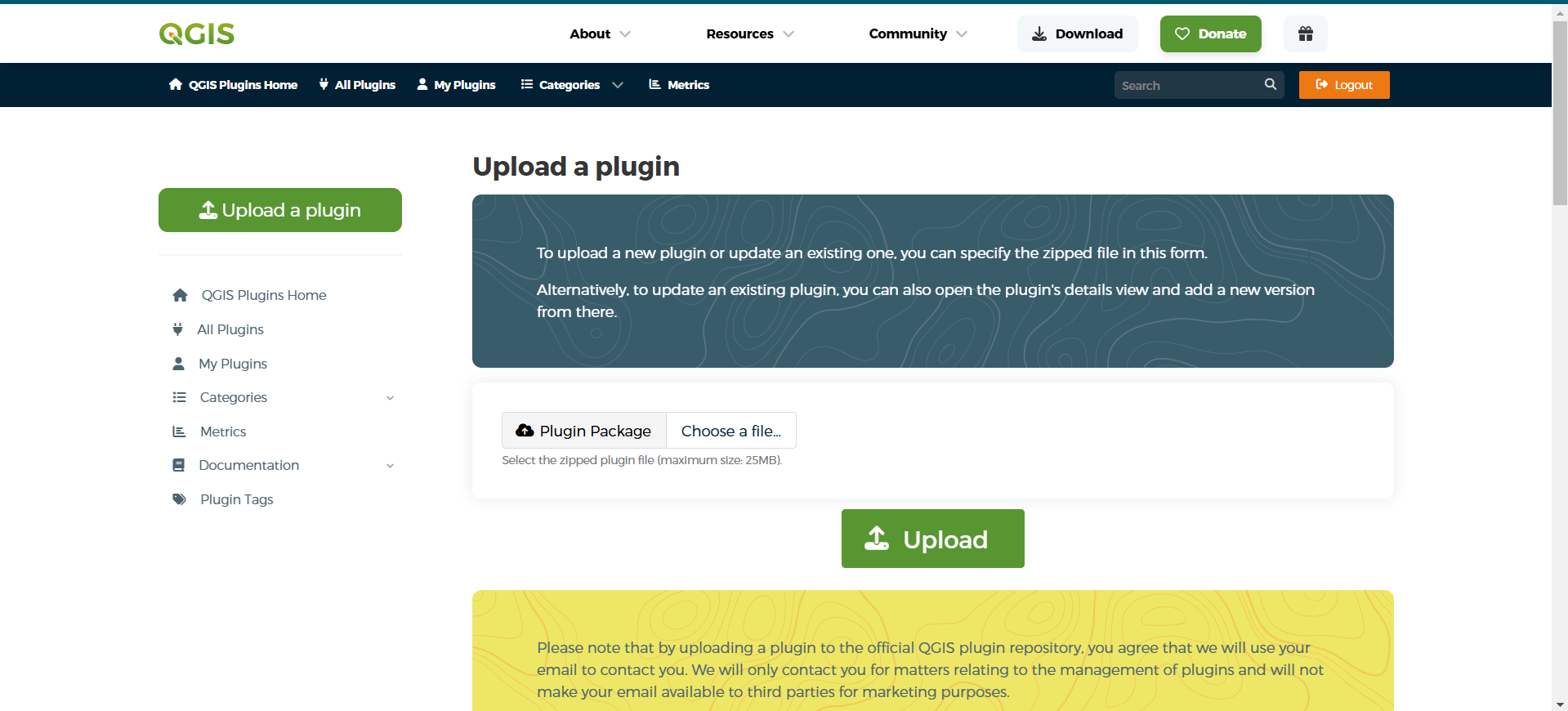
Plugin Upload form#
After upload, the plugin will be reviewed before it appears in the public listing.
8. Uploading a New Version#
To update the plugin:
Increment the version in metadata.txt (e.g., 1.0.1)
Update the changelog
Recreate the ZIP file
Go to your plugin page on https://plugins.qgis.org/plugins/MISLAND/
Click Add version
Upload the updated ZIP
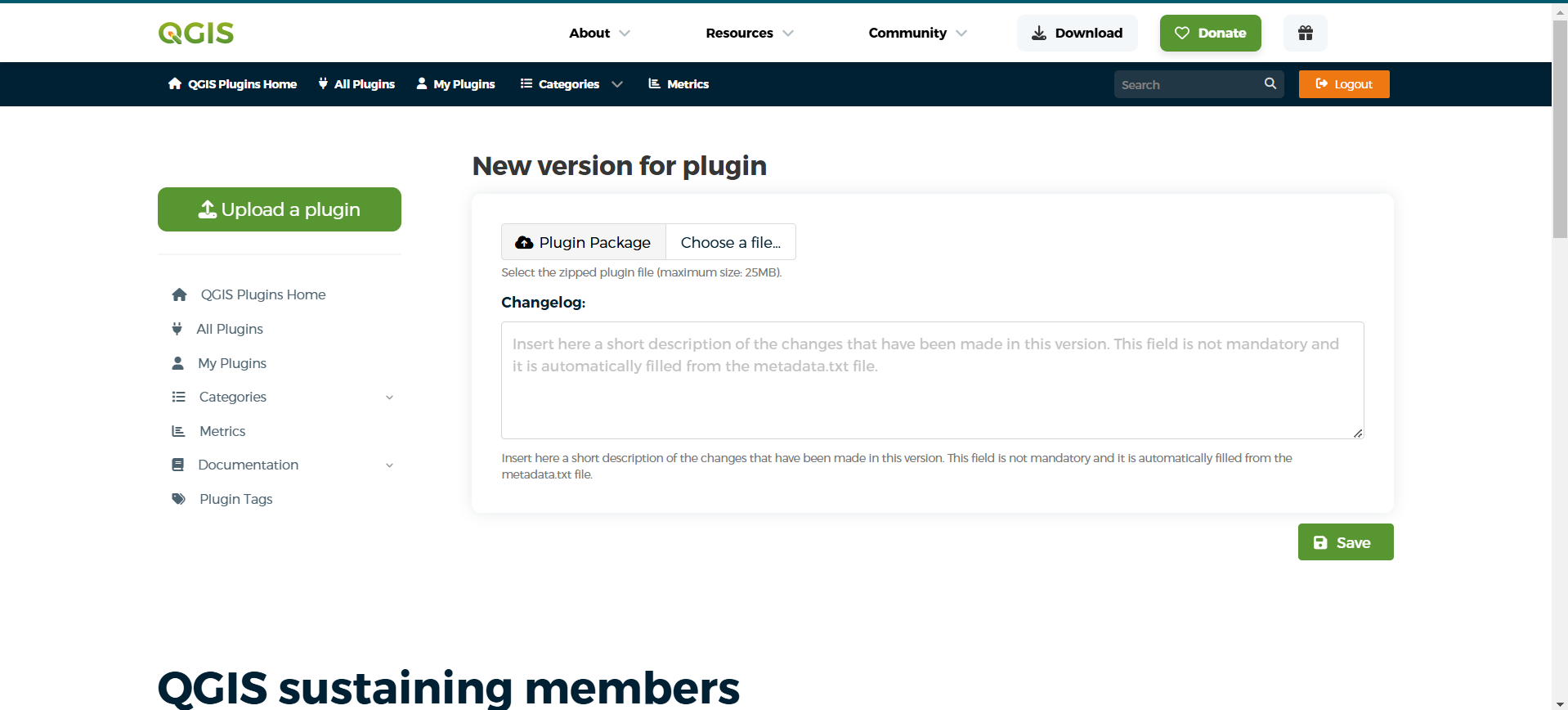
Upload new version page#
9. Final Checklist#
✅ Plugin passes QGIS Plugin Validator ✅ metadata.txt is updated and complete ✅ Unnecessary files removed (__pycache__, .git, .idea, etc.) ✅ ZIP file structure is flat (not nested) ✅ Plugin tested in QGIS ✅ Plugin submitted via QGIS Plugin Repository
10. Useful Links#
Plugin Repository: https://plugins.qgis.org/
Plugin Guidelines: https://plugins.qgis.org/help/
Plugin Builder: g-sherman/qgis-plugin-builder
QGIS Plugin Validation: qgis/qgis-plugin-validator